
Download Smarters Pro Player – iptv, m3u, playlist, streaming, windows, smart tv, free trial, device activation, fast playback, high quality, seamless streaming, advanced player, windows app, media player, m3u playlist, xc playlist, streaming app, tv app, iptv player
Overview
Smarters Pro Player is a dedicated IPTV application designed specifically for Windows users seeking a reliable and high-performance streaming solution. Engineered to support M3U and XC playlists, the app enables users to access live TV channels and on-demand content with minimal latency and optimized playback. Its primary purpose is to deliver a seamless viewing experience by integrating fast playback technology with intuitive navigation, making it ideal for individuals who rely on external IPTV services for entertainment.
The app caters to tech-savvy users, streaming enthusiasts, and those managing personalized channel lineups through playlist imports. It serves as a streamlined alternative to generic media players by offering tailored functionality for IPTV workflows. The developer, Smarters Pro, has positioned the app within the entertainment category, targeting users who prioritize quality, speed, and ease of use.
Real-world use cases include home theater setups, secondary viewing devices, and portable streaming on Windows-based systems. While the developer did not provide additional technical details about the app’s architecture or background, the inclusion of a one-week free trial suggests a focus on user onboarding and confidence-building before requiring device activation. In the broader app ecosystem, Smarters Pro Player fills a niche for Windows-native IPTV clients that combine performance with accessibility, offering a structured environment for managing digital broadcast content.
Key Features & Functionality
- Seamless Streaming: The app employs optimized streaming technology to reduce buffering and ensure consistent playback, particularly beneficial for users with variable internet connections. This feature allows uninterrupted viewing of live events and high-definition content.
- Easy Playlist Import: Users can import M3U or XC playlists with minimal steps, enabling rapid integration of custom channel lineups without complex configuration. This is especially useful for subscribers using third-party IPTV providers.
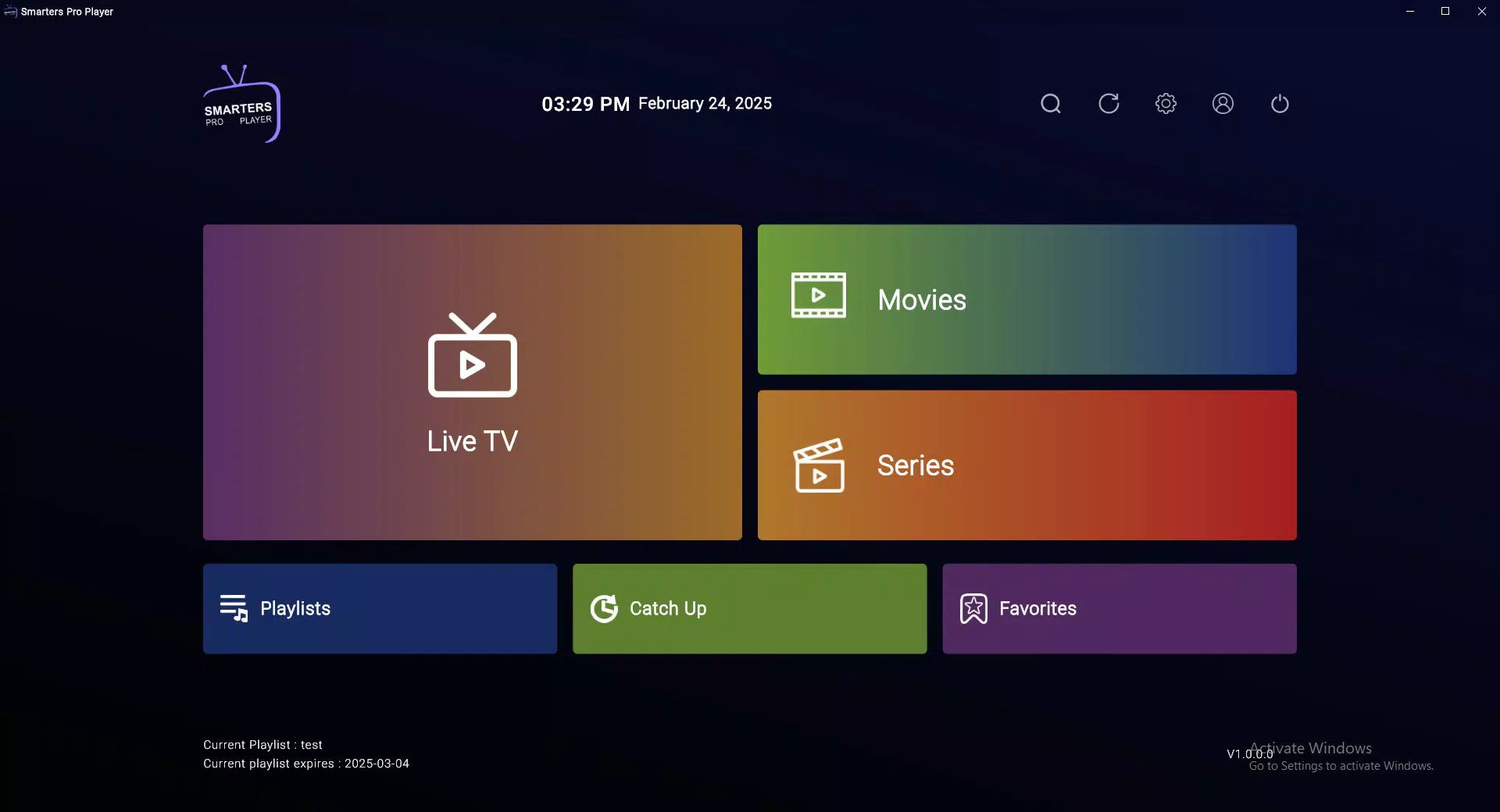
- Intuitive User Interface: The refined layout prioritizes usability, allowing users to navigate channels, access settings, and manage playlists with few clicks. The design emphasizes clarity and visual hierarchy, reducing the learning curve for new users.
- One-Week Free Trial: New users gain full access to all features for seven days, allowing them to evaluate performance, interface responsiveness, and compatibility with their existing IPTV services before committing to device activation.
- Advanced Playback Technology: Built-in playback enhancements ensure smooth transitions between channels, stable audio-video synchronization, and reduced lag during playback, contributing to an immersive viewing experience.
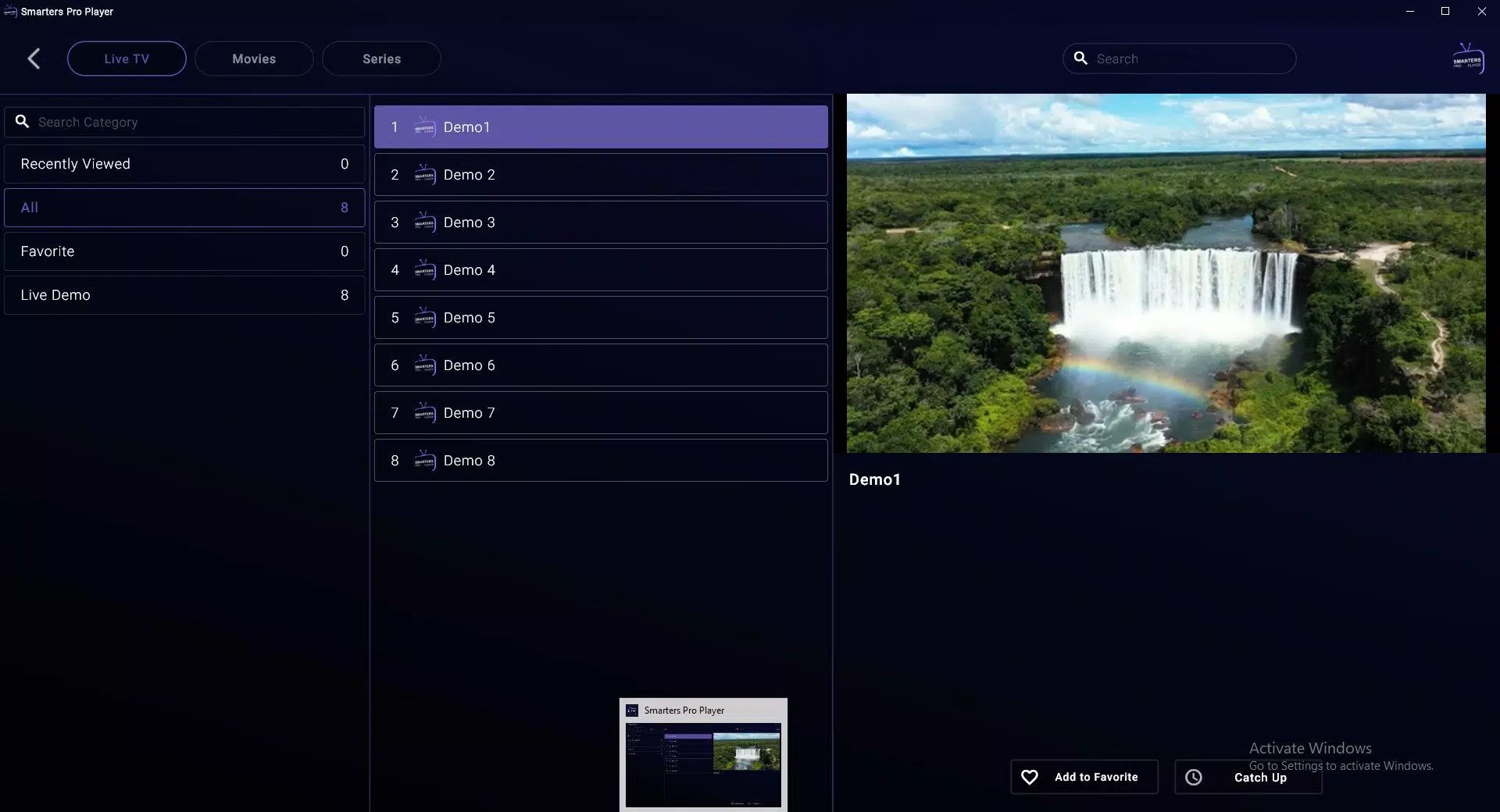
For example, a user managing a home entertainment system can import a custom M3U playlist from their IPTV provider, organize channels into categories, and switch between them instantly. The trial period enables testing across multiple network conditions, ensuring reliability before purchase. This functionality is particularly valuable for users who rely on consistent streaming quality for sports, news, or live events.
Interface, UX & Performance
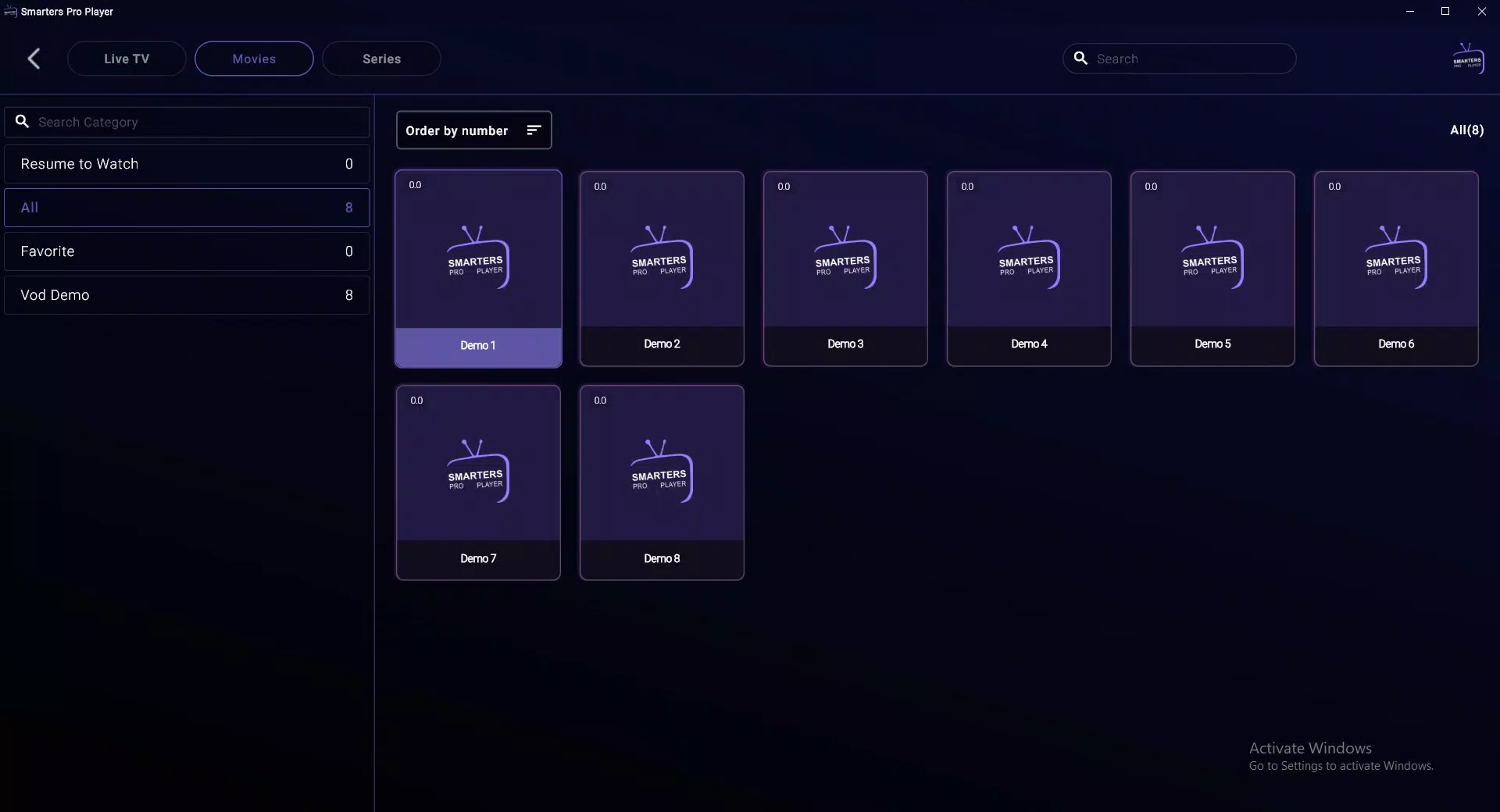
Smarters Pro Player features a clean, modern interface with a focus on usability and visual clarity. The layout is structured around a central channel grid, with menu navigation accessible via a sidebar or top toolbar. Visual elements are minimal yet functional, emphasizing content over decorative features.
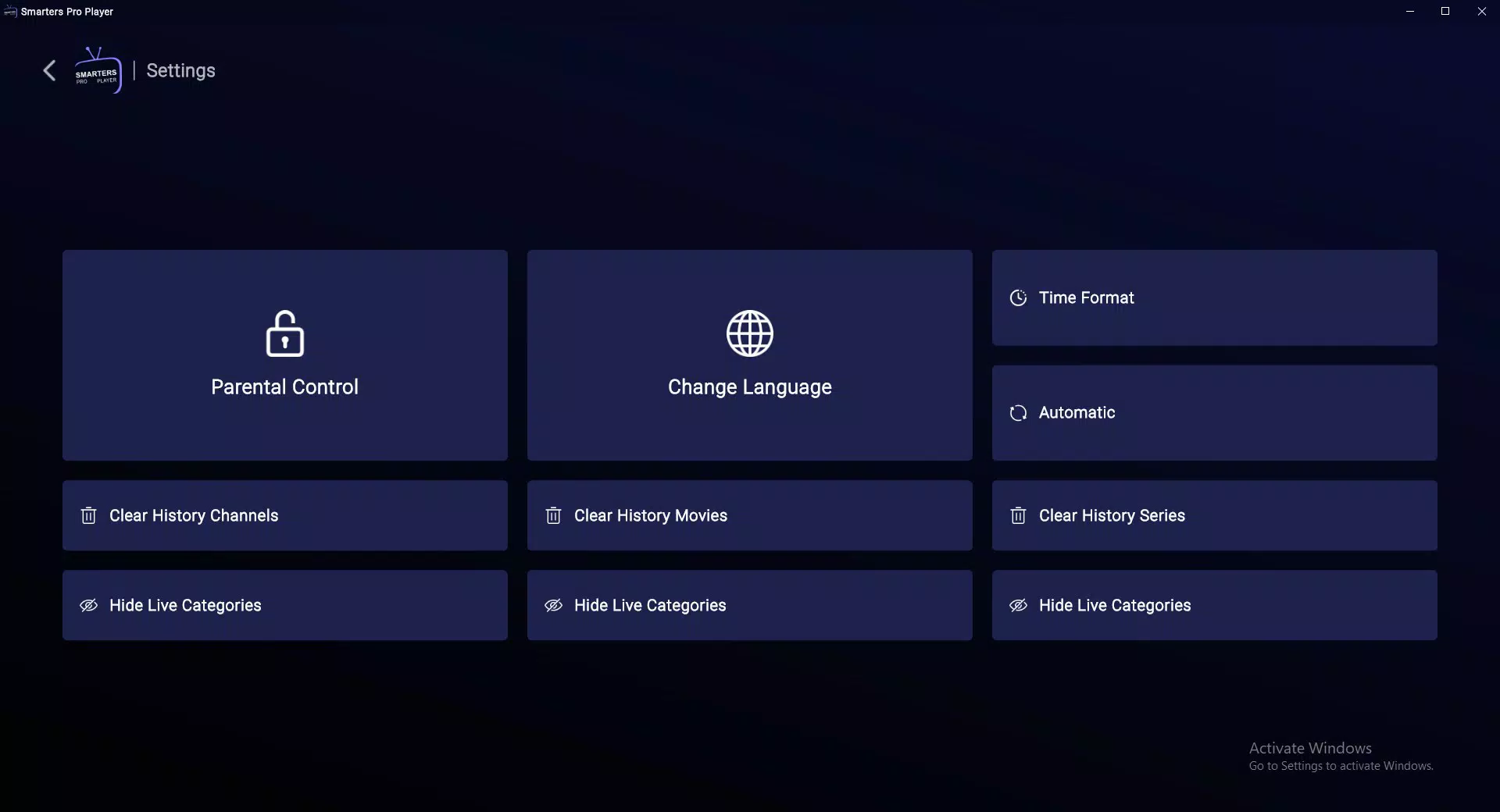
Users can expect straightforward access to playlists, playback controls, and settings. Navigation is linear and predictable, with logical grouping of functions such as playlist management, playback options, and device settings. Although the developer did not list formal performance metrics, the app’s design suggests responsiveness across a range of Windows devices, including desktops and laptops.
Stability appears to be a priority, as the app is built to maintain playback continuity during channel switching and playlist updates. The interface remains responsive even when handling multiple streams or large playlist files. The app’s lightweight footprint—25.6 MB—indicates efficient resource usage, which contributes to faster startup times and reduced background load.
While specific performance data across device categories was not disclosed, the emphasis on fast playback and minimal buffering implies optimized performance under typical streaming conditions. Overall, the user experience is designed to be frictionless, catering to both casual viewers and power users who demand precision and speed.
Platform Compatibility & Technical Requirements
Smarters Pro Player is available exclusively for the Windows platform, with a software version of 1.0.0 and a file size of 25.6 MB. The developer did not specify minimum OS requirements, nor did they list compatibility with specific Windows versions such as Windows 10, 11, or future releases. As such, users should verify system compatibility before installation.
The app is designed for desktop and laptop environments, though it may function on tablet devices with Windows OS. No additional hardware or peripheral requirements were mentioned. The absence of detailed technical specifications means users should proceed with caution on older or less powerful systems.
Despite this, the compact size suggests broad compatibility across modern Windows machines. The developer has not provided information on update frequency, automatic download capabilities, or cloud sync features. For users seeking to install the app, it is recommended to obtain the latest version directly from the official source to ensure security and functionality.
Pros and Cons
- Optimized for fast, low-latency playback of IPTV streams
- Simple and intuitive interface for easy navigation
- Supports both M3U and XC playlist formats
- One-week free trial allows risk-free evaluation
- Compact file size with efficient resource usage
- Designed specifically for Windows users
- Developer did not disclose OS compatibility details
- No public information on update frequency or support channels
- Device activation required after trial period
- Platform limited to Windows only
- Price point of $19.99 may be high for casual users
- No mention of multi-device synchronization or cloud features
FAQ
Is Smarters Pro Player available for Android or iOS?
Based on the provided information, Smarters Pro Player is designed exclusively for the Windows platform. No details were given regarding availability on Android or iOS devices.
Can I use Smarters Pro Player without a subscription?
The app offers a one-week free trial for new users. After this period, device activation is required to continue using the app, which typically involves a paid license. Therefore, ongoing use beyond the trial requires a purchase.
What types of playlists does Smarters Pro Player support?
Smarters Pro Player supports M3U and XC playlist formats, which are commonly used in IPTV services. These allow users to import and manage live TV channels and on-demand content.
How do I activate my device after the free trial?
After the one-week trial, users must complete device activation, which involves verifying ownership through a licensing system. The exact process was not detailed in the provided information.
Is Smarters Pro Player secure to download and use?
The app is distributed as a Windows executable with a file size of 25.6 MB. While the developer did not provide security certifications, users should obtain the app from official sources to minimize risks. No known malware or vulnerabilities were reported in the provided data.
Final Thoughts
Smarters Pro Player presents a focused, high-efficiency solution for Windows users who depend on IPTV streaming. Its streamlined interface, support for standard playlist formats, and emphasis on fast playback make it a compelling choice for those managing personalized channel lineups. The one-week free trial offers a valuable opportunity to assess performance and usability before committing to a purchase.
While the app’s exclusivity to Windows and the requirement for device activation after the trial may limit accessibility, its technical design suggests reliability and stability. For users invested in IPTV services and seeking a dedicated, lightweight player, Smarters Pro Player delivers strong value. Its compact size and performance-oriented architecture reflect a clear intent to serve a niche but growing segment of digital viewers.
If you're looking for a secure, efficient way to stream live TV on your Windows device, this app stands out as a top contender.
Download Smarters Pro Player now


